
Sales Rep Portal
2024
Authenticated portal for sales reps with lead times, document access, and dashboards.
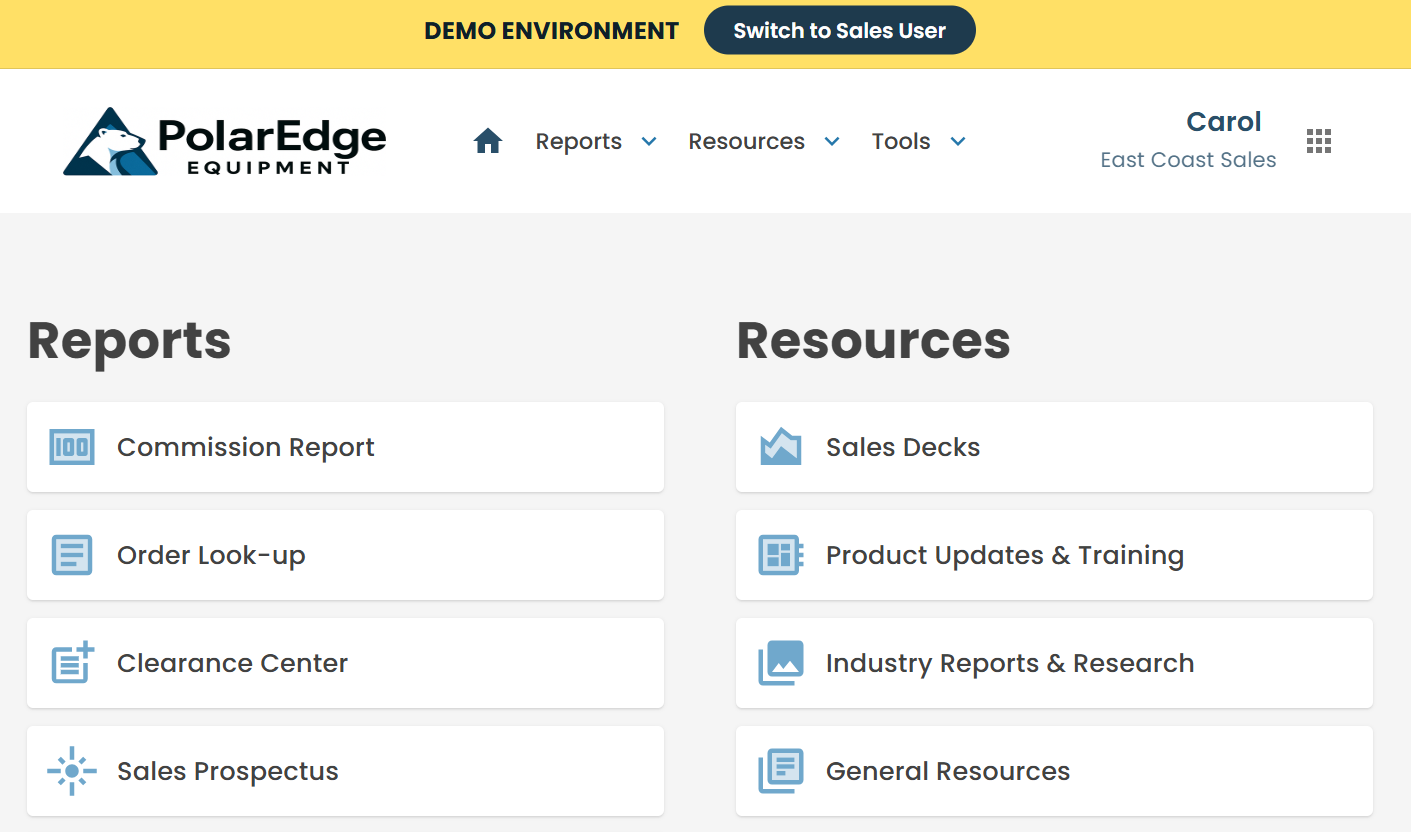
The sales team relied on disconnected tools to do their jobs: Excel files, email threads, and a shared network drive full of outdated documents. Reps often had to call or email the internal order management team just to get basic information like lead times, order status, or the latest price sheets.
This created delays, inconsistent answers to customers, and a heavy support burden on the internal team. Leadership wanted a single, secure place where reps could self-serve information and the business could control what content was visible to which rep group.
I designed and built an authenticated Sales Rep Portal that brings everything reps need into one place. After signing in, reps can view their open orders, see lead times, download approved documents, and access dashboards - without having to email someone internally.
The portal pulls order and lead-time data from the company's ERP system and presents it in a clean, easy-to-use interface. Internal users can upload documents once and share them with the right audience (a specific rep, a rep group, or everyone) with proper access controls.
The result is fewer back-and-forth emails, faster response times to customers, and more confident reps who have the information they need at their fingertips.
Frontend
- Built with .NET Blazor Server for interactive, server-rendered UI.
- Uses MudBlazor components for consistent styling and responsive layout.
- Role- and group-aware navigation so reps only see pages and content relevant to them.
Authentication and Authorization
- MSAL and Microsoft Entra ID for secure authentication.
- Role and rep-group mapping stored in the portal database to drive permissions on resources, documents, and pages.
Integration with Epicor Kinetic ERP
- Azure Function + Service Bus integration layer to synchronize order data from Kinetic into the portal database.
- KineticSyncService handles insert/update of orders, statuses, and acknowledgments with retry logic and NUnit test coverage.
- Lead time is calculated from ERP dates (PO received, acknowledgment sent, etc.) and surfaced in the portal’s lead time page.
Backend and Data
- Hosted as an Azure Web App.
- Azure SQL Database backing the portal: reps, rep groups, customers, orders, lead-time metrics, and document metadata.
- Document storage via Azure Blob Storage, with access level controls wired back into the portal UI.
Operations and Maintainability
- Configuration-driven feature flags and “demo mode” capabilities to support safe external demos without exposing real data.
- Logging and diagnostics integrated with Application Insights for troubleshooting and performance monitoring.
- Secure, role-based login for reps and internal staff.
- Lead time dashboard with filtering by customer, date, and order type.
- Order lookup with details, acknowledgments, and related documents.
- Document center with per-rep and per-rep-group access control.
- Internal admin tooling for managing users, rep groups, and shared resources.
The portal significantly reduced the volume of ad hoc “can you send me this document?” and “what is the status of this order?” questions. Reps can now self-serve most of what they need, while the order management team can focus on higher-value work.
The business also gained a consistent, branded experience for external reps and a foundation that can be extended with new features like commission dashboards and AI-assisted insights in the future.